 Elseway
Elseway Creator Guide
Everything you need to create immersive AI-driven stories. Covers story structure, character design, content policy, and best practices for the Elseway platform.
Who is each field for?
Creating on Elseway splits into two parts: the Story and the Character Card. Before you write anything, get one thing clear: is each field shown to the player, or to the AI?
Player-facing fields aim for appeal, style, and suspense; AI-facing fields aim for clarity, full disclosure, and accurate executability. Once the two are mixed, the work reads noticeably worse.
Story fields
| Field | Audience | Purpose |
|---|---|---|
| Cover | Player | Whether players stop on Discover and click in |
| Teaser | Player | A short trailer (around 15 seconds) after opening the story; hooks players into starting |
| Title | Player + AI | Names the story and sets the overall tone |
| Introduction | Player | The summary after clicking the title; decides whether they hit Start |
| Plot | AI | The worldbuilding and story bible; the AI's basis for understanding everything |
| Story Arc | AI | Pacing, character arcs, and the AI's behavioral rules |
| Prologue | Player + AI | The first message after clicking Start |
| Tags | Player | Helps like-minded players find you; affects search exposure |
| Visibility | System | Public / Private |
Character Card fields
| Field | Audience | Purpose |
|---|---|---|
| Avatar | Player | The character's first impression |
| Name | Player | What the character is called |
| Introduction | Player | The character's "business card" |
| Personality | AI | The soul of the character; the AI relies on it throughout |
Cover
The cover is your story's promotional poster and the first thing players see on the Discover page. It directly affects whether they click in, so take it seriously.
Design principles
- Put all the main characters in the frame. Add a touch of thematic atmosphere so people instantly sense "a world with many people and a real story." Keep the art consistent with the character cards.
- Keep one visual focal point. For example, let the protagonist take the foreground or center while others fan out around them; this reads as an ensemble, not a flat row at one size.
- Text on the image is optional. A big title plus a one-line hook ("Your name isn't on it.") sells the premise directly; relying on the visual alone is equally fine.
Format & specs
- Use a 3:4 portrait composition.
- MP4 is supported and recommended. Keep it to a 2–3 second "micro-motion" clip (a slight sway of hair, a shift of the eyes), within 2MB. Large motion clutters the frame.
- For a static cover, GPT Image 2 works well: you can try to give it the character images and the main plot, and ask for a cover that fits the art style, matches the plot, and highlights the focus.
Static cover examples
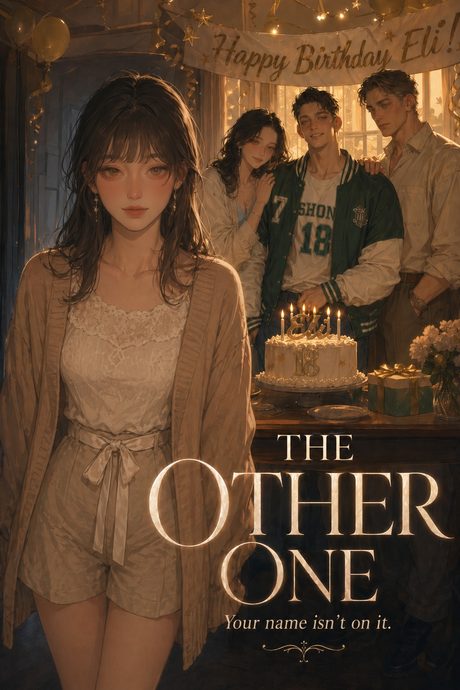
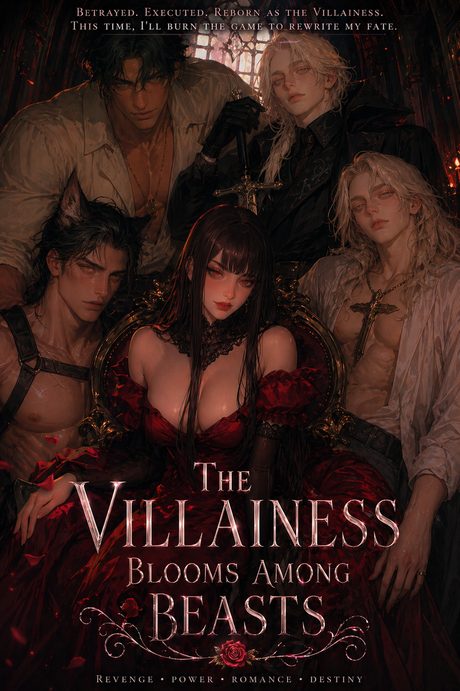
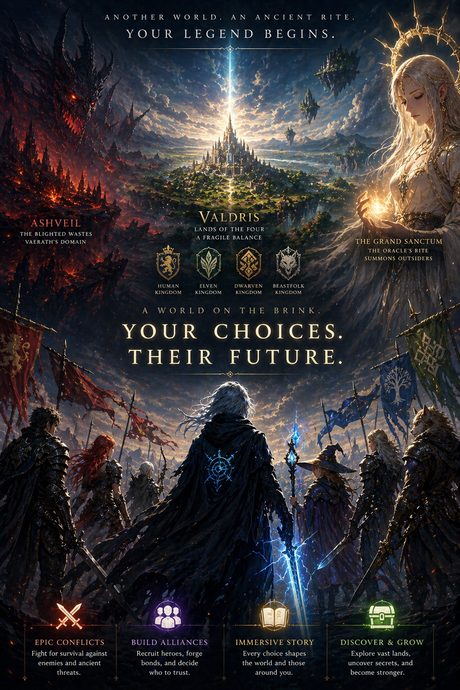
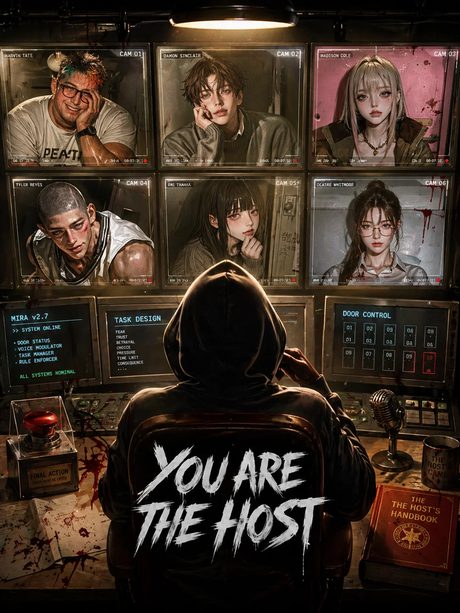
Animated cover examples
Dynamic characters catch the eye on Discover. Keep the motion subtle, around 2–3 seconds.
Title
The second thing players see after the cover. Its job is to set the tone and give a reason to click in; it doesn't need to spell out the plot.
- Short and memorable. Overly long titles get truncated on cards.
- Hint at the core, don't spoil. Specific beats grand. "Reborn as the Villainess" makes the hook obvious at a glance.
- It's fine to be direct. Put the core premise or hook right in the title (reborn, revenge, trapped, the only one), so players can judge at a glance.
Don't agonize over it. You can wait until the Plot and characters are done, then come back and pick a fitting title.
Introduction
The block of text players see after clicking the title, essentially a book's back cover. Single goal: make people want to hit Start.
A practical three-step structure:
- Set up the situation: what's happening, and who the player plays.
- Reveal the conflict: what trouble or choice the player will face.
- Leave a hook: end with an unspoken question or choice, handing the decision to the player.
A few reminders: don't tell the whole plot here; the Introduction only attracts the click, and the real content stays in the story. Keep it short. For multi-character stories, hint that this is a web of relationships, not just one person's story.
HTML styling
The Introduction supports HTML for more refined layouts. You don't need to know code; there's an easier way below. In short: use <div> to frame a block, and write the styling inside its style="…". For example:
Two rules: ① start directly from <div>, no <html> / <body> wrappers, or the platform fails to render; ② write all styles inline, no external CSS.
The easiest way: send the full template below, plus your plot setup, to an AI and have it adapt the style using your plot. The complete code is in the attached file Introduction-HTML-template-the-summoned.html.
url('…') spot in the template. External links can break (shown as a broken-image icon), so keep a backup and replace the link if it breaks.Advanced · skeleton & techniques
Reusable skeleton (swap the theme and reuse):
- A thin ribbon at top and bottom, to frame and set the tone;
- A title area: type / location subtitle + large title (over a banner) + a one-line hook;
- A few paragraphs to convey the world and situation;
- A highlighted box for the key selling point, or a "make your choice" call;
- Collapsible lore sections (expand on click, to avoid bloat);
- A card array (countries or characters) that wraps with flex;
- An ending that hands the choice back to the player.
Worth borrowing:
- Write all styles inline; no class or external CSS (the platform uses injected rendering).
- One restrained palette + two fonts (body + small labels) throughout the card.
- Place images with
background:url() center/coverin fixed-size containers, so they never distort. - Use
flex + flex-wrap + flex:1 1 300pxso columns stack on mobile. - Use
<details>to collapse long setups (list-style:noneremoves the triangle).
Avoid:
- Including
<html>/<body>wrappers, which break rendering. - Rows of pills wrapping incorrectly on mobile; table cells are more stable.
- Skipping device testing; check on both PC and mobile before publishing.
Plot
Plot is the "world and story bible" written for the AI: everything that is true before the player steps in. Players never see it, but the AI relies on it throughout.
Two things to remember; this is where beginners most often go wrong:
Below are four groups. Each has one required item; the "optional" parts can be used as needed.
1 · Player and Goal
- Player role: who the player plays, in one sentence (e.g., "You are a field medic just dispatched to the frontier, on your third day"). If there's no preset identity, say the player defines it.
- Core goal: what the main line chases: uncover a truth, win a position, survive, make a decision.
- Stakes / cost (optional): what happens on failure, and why the player should care. A story with no cost quickly loses interest.
2 · Obstacles
Don't just write "there's a villain." Split the obstacle into three layers for depth:
- External: a system, a deadline, a faction; not aimed at a person, but always pressing.
- Other characters: those who know but only tell when the player "asks the right question," or whose goals oppose the player's. However, you don't need to go into too much detail here for the main characters. The specific character settings can be placed in the character's personality section. For less important NPCs, if you don't want to create separate character cards for them, you can just write them down here.
3 · World
- Genre + tone + emotional goal: the subject, the tone, and what you want the player to feel (thrill / heartbreak / suspense / comfort / fear). All setup serves this.
- Opening status quo: the fragile balance the world holds before the player steps in, ready to break at any moment.
- Rules and mechanics (optional): special rules unique to your world, how the magic / system works and its cost, memorable key props / places / symbols.
- A bit of history (optional): one or two past events that shaped the present; enough for depth, no chronicle.
- What the world is "not" (optional): define boundaries in reverse (no magic / no superpowers / pure realism) to keep the AI from drifting.
- Factions / forces (optional): the camps the player can join, each with goals and costs; especially useful for multi-character stories.
4 · The Web of Relationships
The core engine of multi-character, long-plot stories. Pull it out separately:
- Who is who, who is what to whom, who knows what, who hides what, whose goals conflict. Most of the tension comes from "everyone present holds different information and stands in a different position."
- Character routes (optional): for multiple lines / romanceable targets, list the routes and their differing tones.
- Secrets: state what the secret is and who knows it. (When it is revealed, and the rule that the AI mustn't spill it first, go in Story Arc.)
Two cross-cutting practices
- Clear beats clever. Pin vague adjectives down to concrete behavior. Not "she's cold," but "she never learns her teammates' names and calls them only by number; when one falls, she pauses a beat, then walks on." The former gives the AI only a stereotype; the latter gives it grounds to act.
- Break into sections and bullets. A clearly structured Plot is easier for the AI to reference across a long conversation without missing key points.
The above is a simple set of starter rules, not a standard answer. If you have better approaches, you're welcome to expand on this, or break it.
Story Arc
If Plot is "the stage and the chessboard," Story Arc is "how the game is played": how the pacing advances, plus a set of behavioral rules the AI must follow.
1 · Pacing and progression
- Give stage goals, not a rigid line-by-line script. Players act unpredictably; the more rigid the script, the more it clashes with their choices. Use "acts" (Act 1 lays groundwork, the middle stages a conflict, the later part forces a decision), but each act only states "what should happen"; leave trigger timing to the AI.
- How relationships / arcs change. The web in Plot is static; here, write how it comes alive: who moves from opposition to trust, whose stance loosens.
- When secrets are revealed. Continuing from Plot, state under what conditions a secret surfaces, and that the AI must not reveal it early.
2 · AI behavioral rules (write as a list)
- Perspective and tone: second person? present tense? what overall tone? Decide first.
- Player sovereignty: don't speak or decide for the player; only narrate the consequences of their choices.
- Every choice has a cost: don't let goals come too easily.
- NPCs act from their own motives, and always hold a bit more information than the player; avoid omniscience.
- Multi-character: give each a recognizable voice (don't blur them into one); don't put everyone on stage taking turns at once.
- Other custom restrictions: e.g., no image URLs in replies, forbid a line, etc.; write each out.
The most critical few (a secret, a mechanic, not deciding for the player) are worth re-stating once in a short, firm sentence. The more important the rule, the more it should stand out.
3 · Advanced (optional): the Module Method
For more replayability, break the plot into "scene modules," each with just two things: what happens + what triggers it. Then let the AI pick based on player behavior, rather than walking one line to the end. Great for multi-character stories: give each character a set of dedicated scenes.
Again, these are starter frameworks, not rules to follow exactly. Once familiar, go at your own pace.
How to tell them apart
These two are the easiest to confuse. Remember: Plot sets up the stage and chessboard; Story Arc decides how the game is played.
Plot is the static "what it is": facts true before the player steps in. Story Arc is the dynamic "how it plays out": pacing as the plot advances, and the AI's behavioral rules. Split the easily-confused points along this line:
| Plot writes | Story Arc writes | |
|---|---|---|
| Secrets | What it is, who knows it | When to reveal; AI may not tell before then |
| Relationships | What the relationship is now | How it changes with the plot |
| Emotion | What you want the player to feel | At what pace to deliver it |
| Direction | The current situation, what routes exist | Where it goes with choices, how each stage advances |
Prologue
The first message after clicking Start. It must do two things instantly: drop the player into a scene already in motion, then hand control back.
- Cut in from "the first frame." Avoid a big block of worldbuilding; go straight into what's happening now.
- Set the tone in the first line or two. Keep the opening atmosphere consistent with the emotion you set in Plot.
- End by handing control back. For example, give two or three options plus "or do as you wish"; or end on a "you must respond now" hook.
Note that the model's later replies will likely mimic the format of your Prologue. If you end with options, its replies may keep the option format throughout.
Markdown
The chat (including the prologue) supports a full set of Markdown. Here is everything you can use, and how it renders in Elseway:
Supported syntax
| You write | Renders as |
|---|---|
| # H1 … ###### H6 | Heading, in purple |
| **bold** | Bold, purple |
| *italic* | Italic, dim grey (good for narration) |
| ~~strikethrough~~ | Struck-through text |
| `inline code` | Inline code, light purple on a purple tint |
| [text](url) | Link, cyan |
| > quote | Blockquote, dim italic with a purple left bar |
| - item / 1. item | Bulleted / numbered list |
| --- | Divider line |
| code block (triple backticks) | Code block, light purple on a purple tint |
| table | Bordered table, purple header |
|  | Image |
How it looks
Plain dialogue and narration sit in white. Bold turns purple, italics go dim grey, and this is struck through. Here is a link and some inline code.
"A blockquote, for an aside or a whispered line."
• Another item
Most common in roleplay: plain text for a character's spoken dialogue; *…* for narration (setting, thoughts, actions), shown in dim grey; **…** for emphasis, shown in purple.
Inserting images
You can insert images in the Prologue too, the same way as the Introduction: upload to an image host, get the direct link, then use it. Note: once you use an image direct link in the opening, add a rule in Story Arc: "do not generate image URLs in replies," or the AI will mimic the format and produce broken images later.
Content scope
Elseway is an all-audience (SFW) platform. Content is no longer split into rating tiers — one standard applies to every story, character, and conversation.
- No adult sexual content.
- Images must be clear and of decent quality; blurry, hastily captured, or unedited low-quality images and videos risk being taken down.
- For the specific prohibitions, see Strictly Prohibited Content below.
Visibility
- Public: everyone can see and play it on the Discover page.
- Private: only you can see it; good for unfinished, saved, or test stories.
Character creation
A character is a card created for this story and belongs only to it (not reused elsewhere). A card has four fields; the first three are player-facing, and Personality is for the AI only.
Avatar
- The character's first impression. Use an image or a short video; a 2–3 second micro-motion character is more appealing.
- Keep it consistent with the introduction and personality, or it breaks immersion.
- Recommended 3:4 size; video no larger than 2MB.
The avatar must also be clear and of good quality; blurry or casually unedited low-quality images / videos risk being taken down.
A few directions:
- Bust or half-body, face toward the viewer. The safest default; the face still reads at thumbnail size.
- A signature prop or outfit that signals the character at a glance (an oracle's ceremonial robes, a medic's blood-stained coat, a hooded host in shadow).
- For emotional or romance characters, a mood-forward close-up (a sidelong glance, a half-smile) lands harder than a neutral pose.
- Keep the whole cast in one art style. When several characters share a story, a consistent style makes them feel like one world.
Avoid: tiny full-body shots where the face is unreadable, or an avatar whose vibe contradicts the character's personality.
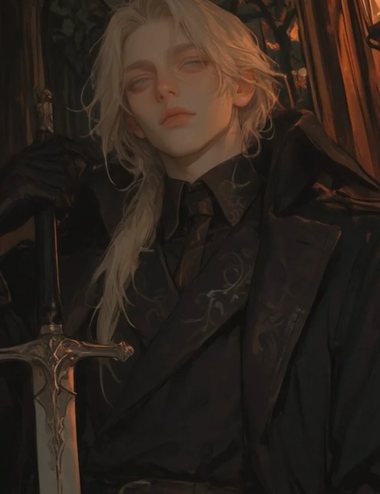
Avatar examples
An avatar can be a still image or a short video. Same characters, both formats:

Name
Just enter the character's name.
Introduction
The "business card" players see when selecting a character: who they are, what's special, and one point that draws people in. Also supports HTML styling, the same way as the story Introduction.
Oracle of the Grand Sanctum. She performs the summoning rite each year, as she has for decades.
A woman of indeterminate age. Pale ceremonial robes, long silver hair, fair skin.
Personality
The core of the whole card. Players never see it, but the AI reads it every turn to play the character. The more concrete and specific it is, the closer the AI gets to the character you imagined; if it's thin, the AI falls back on the most generic version.
Write cause and effect, not a pile of adjectives. Don't write "she's aloof." Write: "She keeps every colleague at arm's length, not out of coldness but because years on a response team taught her to treat 'trusting someone' as a risk assessment; even so, she quietly remembers each teammate's daily routine." Adjectives give the AI a stereotype; a causal chain lets it react in character even in situations you never scripted.
A solid Personality usually covers:
- Appearance: height, bearing, signature features or clothing; a visual anchor for the AI when it narrates actions.
- Identity & background: role, standing, and one to three events that shaped them.
- Personality core: written as cause and effect ("why they are this way"), not labels.
- Speech & movement habits: catchphrases, rhythm, unconscious gestures (e.g., "before he hesitates, he goes quiet for a beat, as if deciding whether to say it").
- Relationship to the player: the initial relationship, first impression, and any unspoken expectation.
- AI performance note: direct instructions (e.g., "He never says 'I love you' first, but the moment {{user}} is in danger he steps in front of them without thinking").
Two traps to avoid:
- Stacking labels instead of writing a person. "Tsundere / overachiever / cold beauty" is fine for minor roles, but a main character needs the full causal picture.
- Directly contradictory static traits. "Shy but bold" confuses the AI. Write the situation instead: "In company meetings she speaks slowly and weighs every word; at her small weekly book club she jumps in first and forgets to lower her voice." Always write the context.
Secrets the character hides from the player should still be written here for the AI; when they are revealed is handled in Story Arc.
These are starter frameworks; once you're skilled, go further.
Example story
One published story, shown in full for reference.
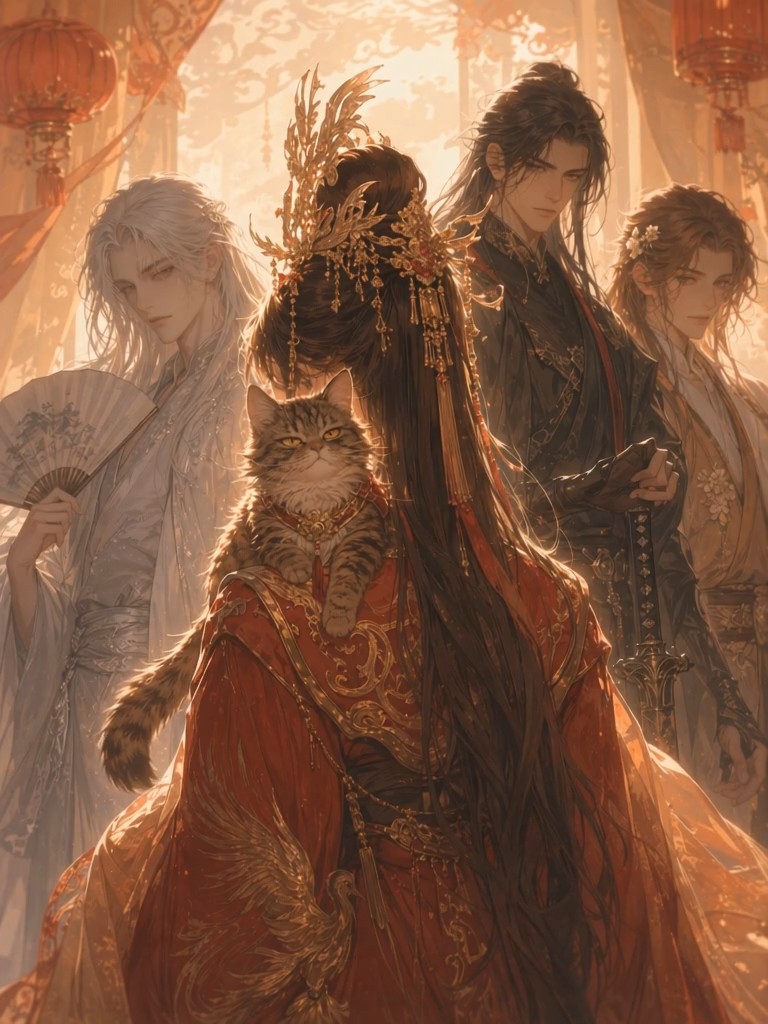
Phoenix on the Open Road
IntroductionPlayer
ProloguePlayer + AI
TagsPlayer
PlotAI
Story ArcAI
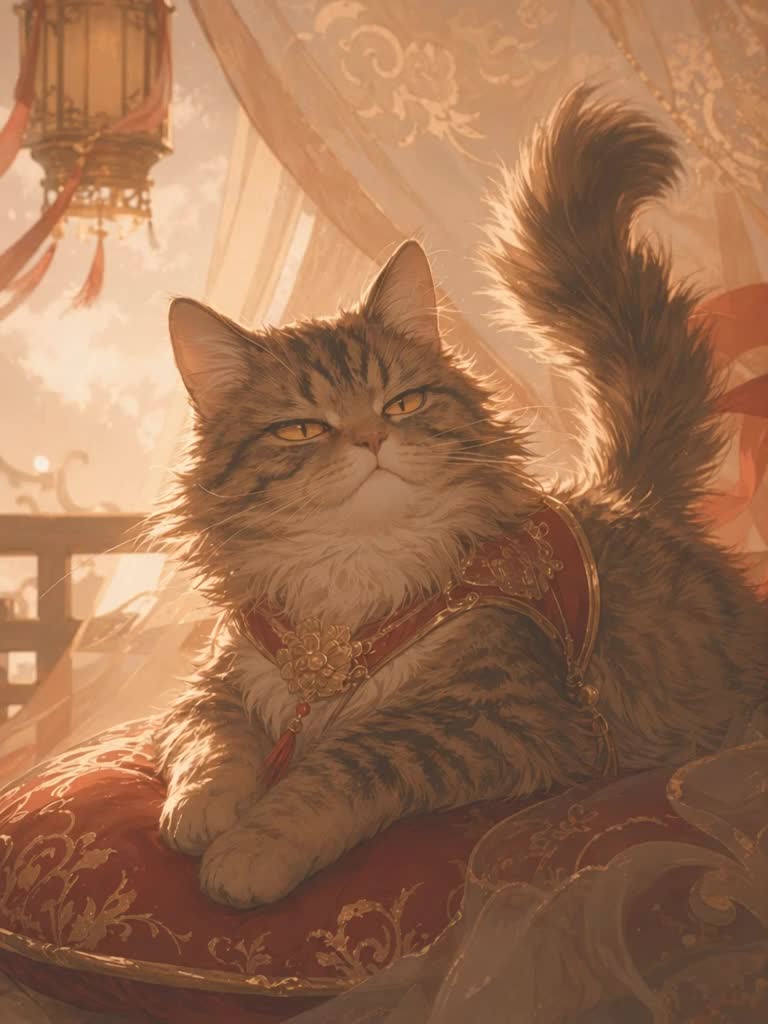 Li Nu
Li Nu
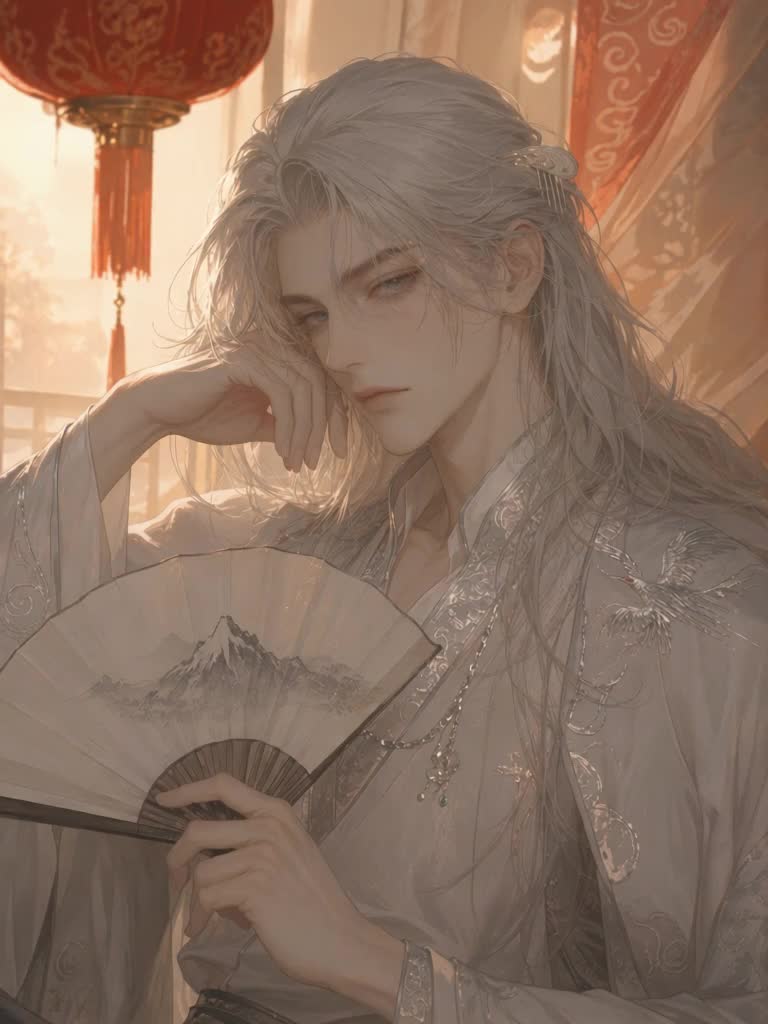 Wei Lan
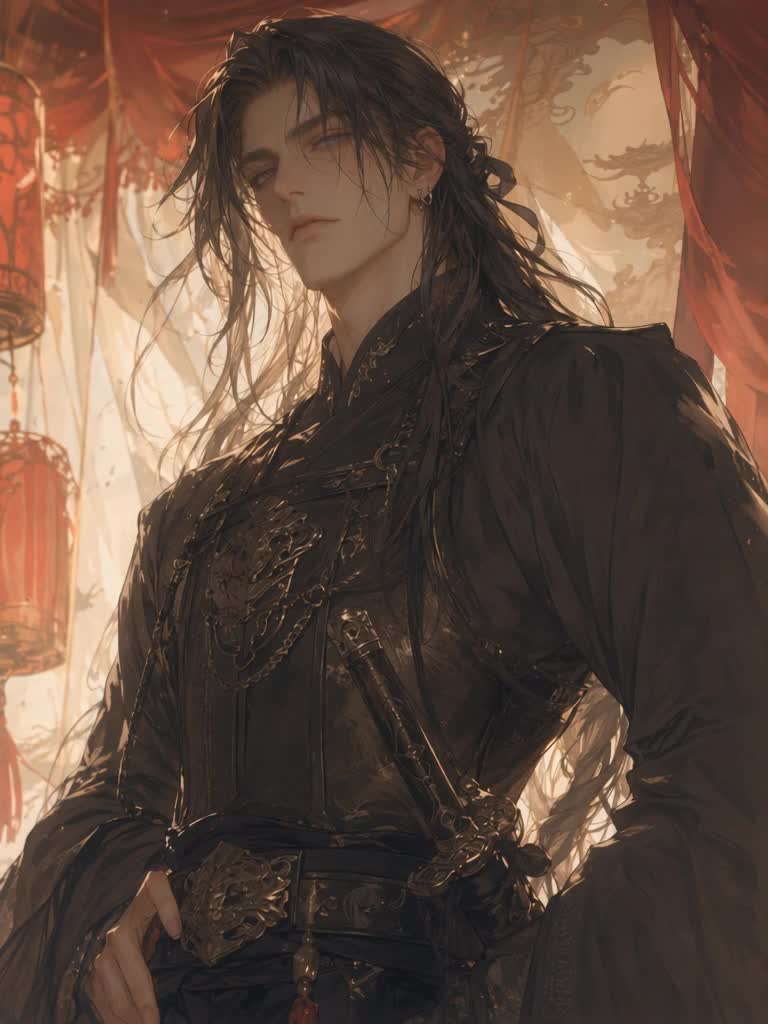 Lu Qian
 Shen Ruo
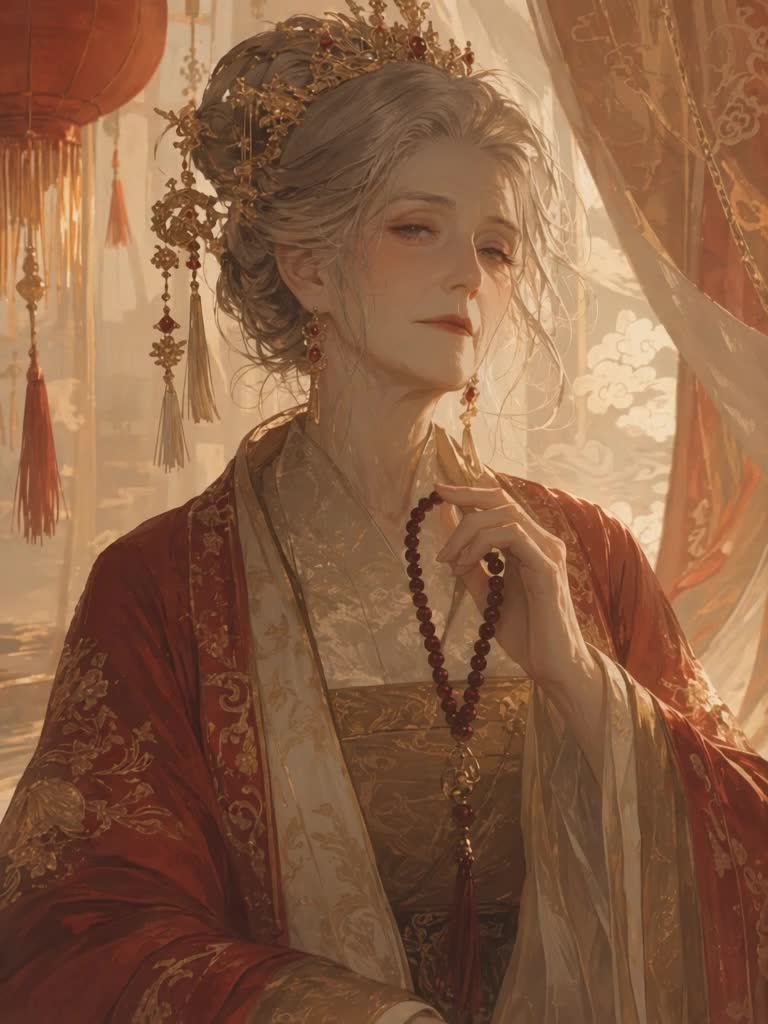 Empress Dowager
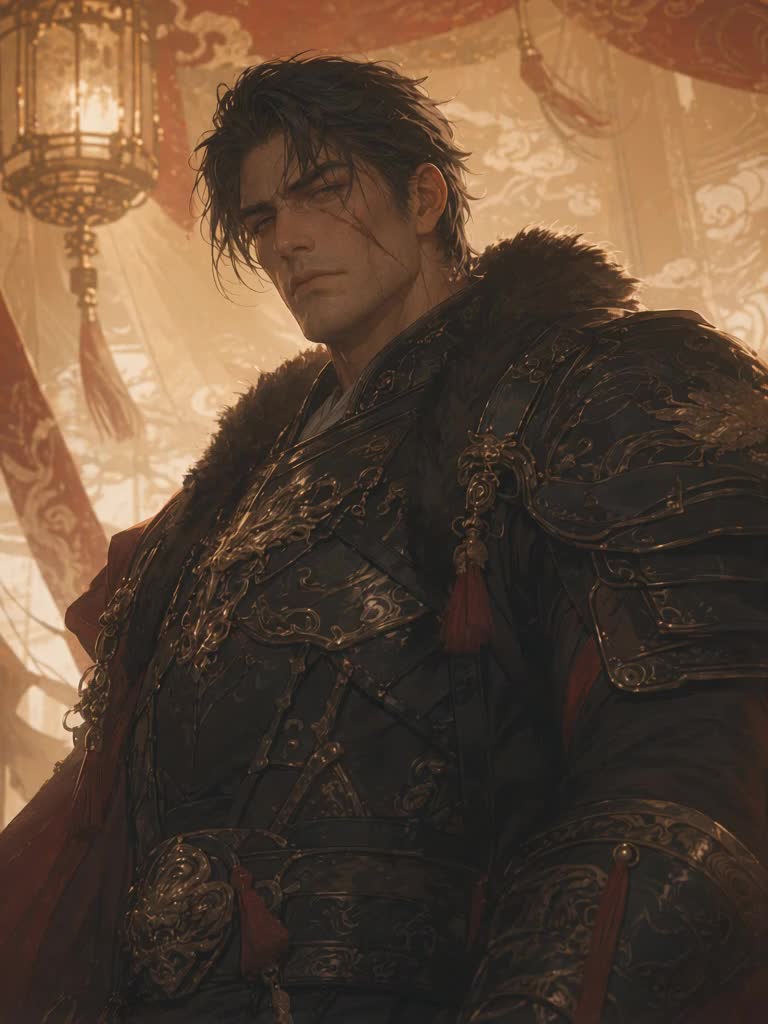 Xiao Chong
 Zhou Xu
 Madam Qin
 Cui Heng
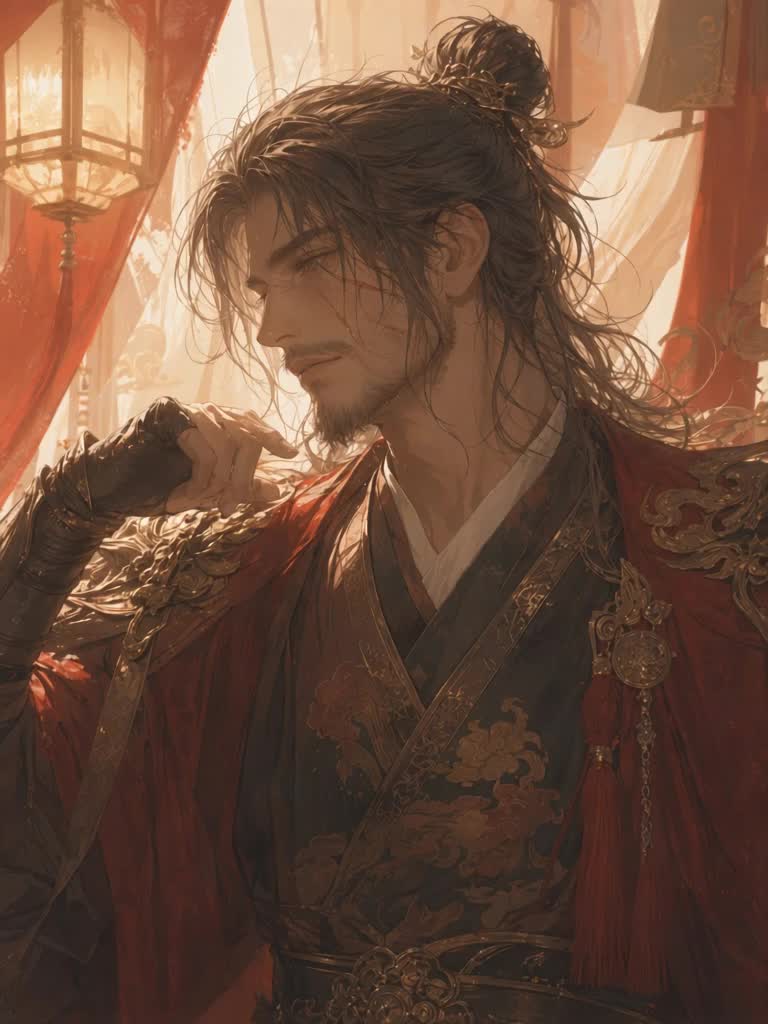 Lu Zhan
What earns extra exposure
We want to put the best work in front of players. Stories that meet the following standards will be actively given more exposure:
- A solid setupThe Plot and Story Arc are complete, substantial, and layered.
- A rich castThe story has several characters, each one fully realized.
- Consistent, high-quality visualsThe story cover and every character image are sharp, high-quality, and share a single visual style.
- Accurate tagsTags describe the content honestly, without piling on unrelated popular tags.
- Original workThe concept is your own.
Scope of creator responsibility
This policy applies to content creators directly create and control. Elseway is AI-driven, so it's necessary to distinguish what the creator is responsible for from what the AI generates in real time during play.
You are responsible for
- Character card: name, introduction, personality, background, appearance.
- Story content: title, introduction, Plot, Story Arc.
- Cover: the cover image or video.
- Prologue: the initial scene or first message.
- Character images: avatar, character art, visual design.
- Tags: content warnings, genre tags.
- External links: any link in the introduction or profile.
You are not responsible for
- AI-generated dialogue: the AI's real-time responses during interaction.
- Player input: what players type, and how they interact.
- Unexpected AI behavior: unexpected responses despite a well-designed character.
Strictly prohibited content
The following is strictly prohibited on Elseway. Violations lead to content removal, and in serious cases, a ban.
- Sexual Content Involving Minors. Any sexualized depiction of a minor character is prohibited. Determination is based on how the character is presented — where appearance, body type, behavior, or stated context (student status, school uniform, etc.) indicates a minor, the character is treated as a minor, and an "18+" label does not exempt it. The prohibition is not limited to explicit sexual acts: sexual suggestion, suggestive framing, deliberate close-ups of body parts, and objectifying description are equally prohibited.
- Sexually Driven Premises. Works whose sole purpose is sexual content are prohibited. Where the characters, setting, and plot serve only to set up sexual scenes, and no independent narrative value remains once that element is removed, the work does not meet this platform's content standards.
- Non-Consensual Content. Any form of coercion or intimidation, and sharing or exploiting another's private content without consent, is prohibited.
- Hate and Discrimination. No content attacking, demeaning, or stereotyping based on race, ethnicity, nationality, religion, gender, sexual orientation, gender identity, disability, etc., including racism, homophobia, misogyny, transphobia, xenophobia, fascism, or promoting related symbols, slogans, or ideologies.
- Harassment and Bullying. Don't humiliate, threaten, stalk, attack, or bully any real individual or group, or incite others to.
- Violence and Self-Harm. No content promoting suicide or self-harm, or any harmful or dangerous acts, challenges, or pranks.
- Real-Person Imagery. Photographs and photographic works are prohibited in all cases — camera photos, images taken from the web, photo edits, and face-swapped images. Characters must not point to a real, identifiable person.
- Privacy Violations. No sharing of anyone's personal data (real name, address, phone, email, financial info) or unauthorized private images; no doxxing.
- Fraud and Deception. No misleading, scam, plagiarized, or spam content.
- Glorification of Crime. No glorifying or romanticizing real-world violence, crime, terrorism, war criminals, dictators, or extremist ideologies. Fictional villains are fine, but don't frame real atrocities or extremist ideologies as positive or worth emulating.
- Impersonation. Don't impersonate any real individual, brand, or organization deceptively. Impersonating Elseway staff or officials results in an immediate ban.
- Misinformation. No spreading false information or untrue statements, including conspiracy theories, misleading rhetoric, and false accusations.
Consequences of violations
Handling depends on the severity and frequency of the violation.
| Tier | Action |
|---|---|
| First violation (minor) | Content taken down; a warning issued |
| Repeated violations | Content deleted; account restricted; loss of creator privileges (new content can't be public, no earnings withdrawal) |
| Serious violations | All content deleted; account can no longer log in or be used |
- Child sexual abuse material or the sexualization of minors
- Terrorism or violent extremism
- Content promoting self-harm or suicide, or glorifying violent crime
In short, the clearer and more detailed your setup, the better the model performs. The AI's elaboration is built on the setup you write, while the parts it fills in on its own tend to be random; the more solid your cause-and-effect and detail, the more it plays the character and plot you envisioned. So if you want the story to follow your vision, don't be afraid to write in detail: explain the rules and motives thoroughly, then let it play freely within the boundaries you've drawn.
At the same time, always follow the community rules and content policy (see Content Scope and Strictly Prohibited Content). Hold this line, and your work can steadily reach more players.
Happy creating.